How to Humanize AI Text (2026 Guide)
A practical, honest guide to humanizing AI text — what detectors actually measure, the manual edits that work, and where a humanizer tool fits in.
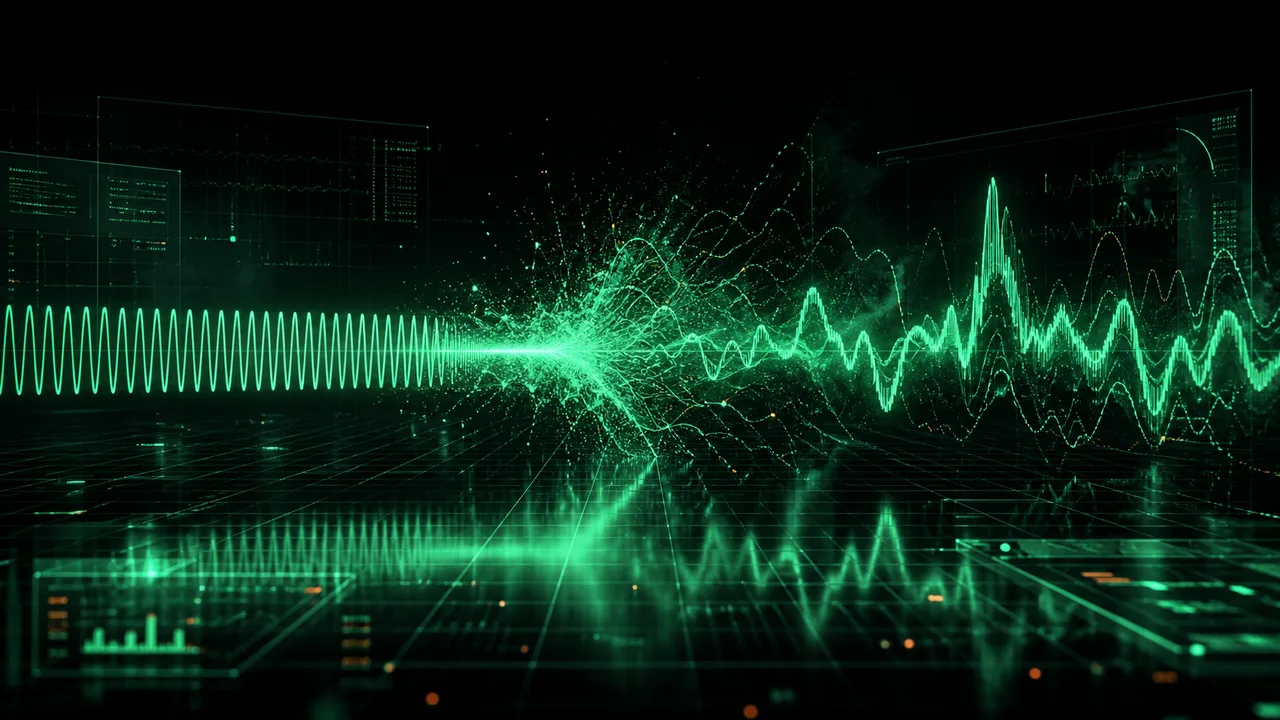
If you have ever pasted a paragraph from ChatGPT into a document and felt that it reads fine but somehow not like you, you have already noticed the thing this guide is about. AI writing has a texture. It is smooth, even, competent — and that very smoothness is what makes it detectable, both to a careful human reader and to the tools built to flag machine text.
Humanizing is the process of removing that texture without removing the meaning. This guide explains what detectors actually measure, the manual edits that move those measurements, and where an automated AI humanizer fits in. It is deliberately honest about the limits, because the internet is full of tools promising "100% undetectable" results, and that promise is not one anyone can keep.
What AI detectors actually measure#
You cannot humanize text effectively until you know what makes it read as machine-written in the first place. Detectors don't have a secret database of AI sentences. They score two statistical properties.
- Perplexity is how predictable your word choices are to a language model. AI text has low perplexity by design — the model writes by picking the most probable next word, so its output is, tautologically, unsurprising. Human writing is full of less-likely choices: odd word orders, regional idioms, the occasional wrong-but-vivid word.
- Burstiness is how much your sentence length and structure vary. Humans write in bursts — a long, winding sentence, then a short one. A fragment. Then a run-on that should have been two sentences. Models default to a comfortable mid-length and stay there, producing a flat, uniform rhythm.
Almost everything a detector reports — a "percentage AI" number, a highlighted heat map — comes down to these two signals and a handful of related stylometric features. Humanizing, therefore, means one thing: raise perplexity and burstiness while keeping the text accurate and readable.
The manual edits that actually work#
You can humanize a lot of text by hand, and it is worth learning these even if you use a tool afterward, because they teach you what the tool is doing.
Vary your sentence length on purpose#
This is the single highest-impact edit. Go through an AI draft and look at the rhythm. If every sentence is fifteen to twenty words, you have found the problem. Split some long sentences at a clause boundary. Merge two short ones. Leave a genuinely short sentence standing alone. You are manufacturing burstiness, and it is the change detectors respond to most.
Cut the AI tells#
Language models overuse a recognisable set of words and phrases — "delve," "tapestry," "underscore," "it's important to note," "in today's fast-paced world," "navigating the landscape of." These AI tells are high-probability filler. Delete them or replace them with something specific. While you are at it, look at your em dashes: if the draft is peppered with them all used the same way, vary the punctuation. We keep a fuller list in the words and phrases that give away AI writing.
Add contractions and informality#
Models underuse contractions and default to a slightly formal register. Changing "it is" to "it's" and "cannot" to "can't" where the tone allows nudges the text toward how people actually write. It is a small change per instance but it adds up across a document.
Add something only you know#
The most powerful humanizing edit isn't statistical at all. A model cannot invent your specific anecdote, your first-hand result, your particular opinion. Inserting one concrete, true detail that no model would have produced does more for authenticity than any amount of synonym-swapping — and it is the same thing that makes writing genuinely worth reading.
Where a humanizer tool fits in#
Manual editing works but is slow, and the sentence-restructuring step in particular is tedious to do well by hand. This is what a humanizer automates. A good one applies the same edits systematically: restructuring sentences to raise burstiness, replacing predictable phrasings to raise perplexity, adjusting contractions and punctuation.
SynthGuard's text humanizer runs its Light mode entirely in your browser — your text is never uploaded — which matters when you are cleaning up something confidential. It shows a live burstiness reading so you can watch the rhythm change as it works, and it supports both English and German natively. Deeper Standard and Aggressive modes use a disclosed inference route when a draft needs a heavier rewrite.
The right way to use it is as the middle step in a three-part workflow, not as a magic button:
- Draft with your AI tool of choice.
- Humanize to fix the rhythm and remove the mechanical tells.
- Edit as a human — for voice, accuracy, and the specific details only you can add.
Whether you are a content marketer, a blogger, or a copywriter delivering client work, that order is what gets you the speed of AI without shipping text that reads — or scores — as templated.
The honest limits#
Here is the part the "undetectable" marketing leaves out.
No humanizer can guarantee a specific result against a specific detector. Detectors are retrained constantly, they disagree with each other on the same passage, and a green score in one tool can be a red score in another. Anyone promising a permanent, guaranteed pass is selling you certainty that doesn't exist.
There is also a false positive problem cutting the other way: genuinely human writing gets flagged too, especially clear, formulaic, or non-native English. If your own honest writing keeps getting flagged, humanizing it to raise burstiness and perplexity is a legitimate defensive move — but keep evidence of your process regardless.
And the obvious one: humanizing improves how text reads and scores; it does not make prohibited use permitted. If a class bans AI or a client forbids it, running the output through a tool doesn't change the rules. The legitimate use of humanization is polishing your own drafting and reducing false positives on work you actually did — not laundering.
The bottom line#
Humanizing AI text is not mysterious. Detectors measure predictability and rhythm; humanizing raises both by varying sentence length, cutting the tells, loosening the register, and — most of all — adding the specific human substance a model can't. A tool automates the tedious parts and shows you the metrics, but the durable result comes from the human edit at the end. Start with the free text humanizer, watch what it changes, and learn to do the rest yourself.
Review method, sources and limits
- Reviewed by
- Tim Geithner · Founder and technical reviewer
- Last reviewed
- July 23, 2026
We compare current primary documentation with the implemented browser data flow and, where stated in the article, repeatable hands-on observations. A detector score is not proof of authorship or provenance. No controlled benchmark is claimed unless the article names its sample, tested version, date and method; third-party products and policies can change.
Primary references
SynthGuard.net — privacy-first tools
Humanize AI media locally and choose a clearly disclosed text mode.
Images, video and detector scans stay on your device. Light-mode text is local; deeper text modes use the protected inference route. No detector outcome is guaranteed.
All third-party names, logos and trademarks (e.g. Hive, Optic, Sensity, Sightengine, Illuminarty, GPTZero, Instagram, TikTok, OnlyFans, Fanvue, SynthID, C2PA) are the property of their respective owners. SynthGuard is an independent service and is not affiliated with, endorsed by, sponsored by, or partnered with any of these companies or platforms. Detector and platform names are used solely for descriptive comparison under § 6 UWG / Art. 4 Directive 2006/114/EC.
Frequently asked questions
Glossary terms in this article
Keep reading

How to Make ChatGPT Sound Human
ChatGPT is a genuinely good writer in the narrow sense: its grammar is clean, its structure is tidy, and it rarely says anything obviously wrong. And yet you can usually feel when something came from…

Do Employers Detect AI Cover Letters?
Almost everyone uses AI somewhere in a job application now, and almost everyone is quietly worried about being caught. The worry is aimed at the wrong threat. The thing that costs candidates intervie…
AI Words & Phrases That Give You Away
Once you've read enough ChatGPT output, you start to see the seams. Certain words appear far more often than they should. Certain phrases show up in article after article. The punctuation has a parti…